 veil
veilDifferent pattern.
Different space.
Create separate vaults. The unlock screen doesn’t show a list of your other spaces.
INDEPENDENT PATTERNSA private photo vault for the photos, videos and notes that are yours alone. Encrypted on your iPhone. Opened with your pattern.
Draw a pattern to explore.
4 files · Encrypted on your device
Illustrative demo with sample files.
No personal data needed.
The things you expect from a gallery.
The privacy you want from a vault.
Inside Veil. Sample content. Tap a screen to see it in full size.
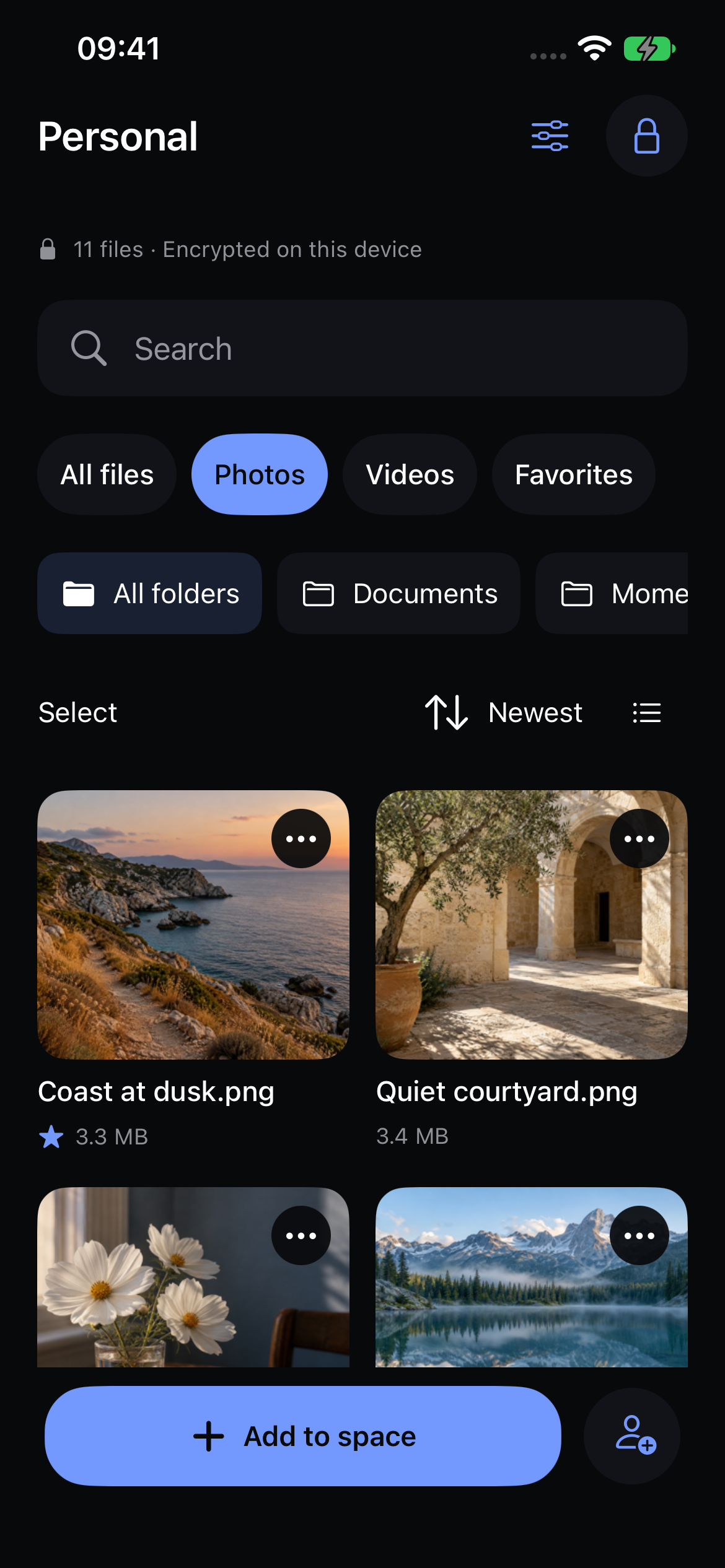
Import, search, favorite and organize your photos into folders.
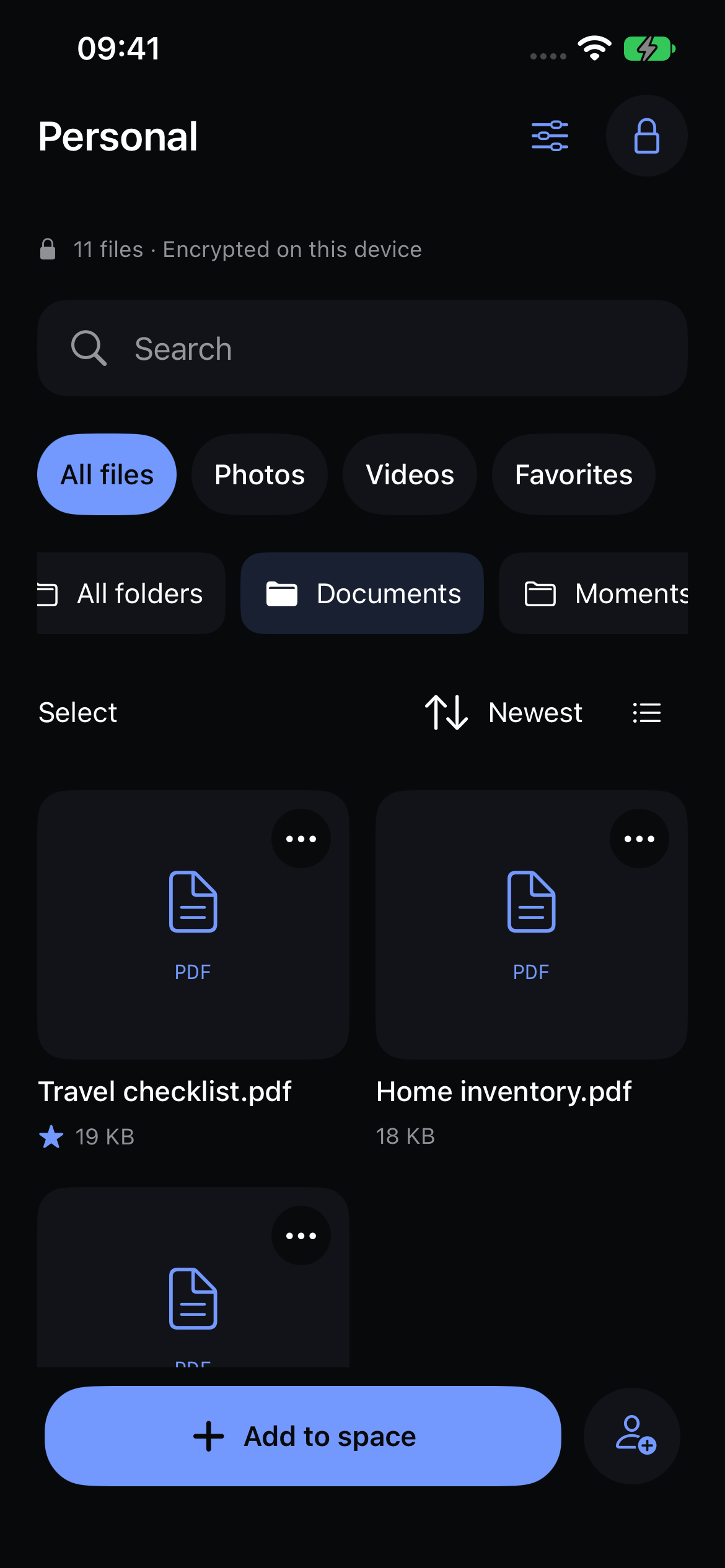
Keep PDFs and documents beside the moments you want to save.
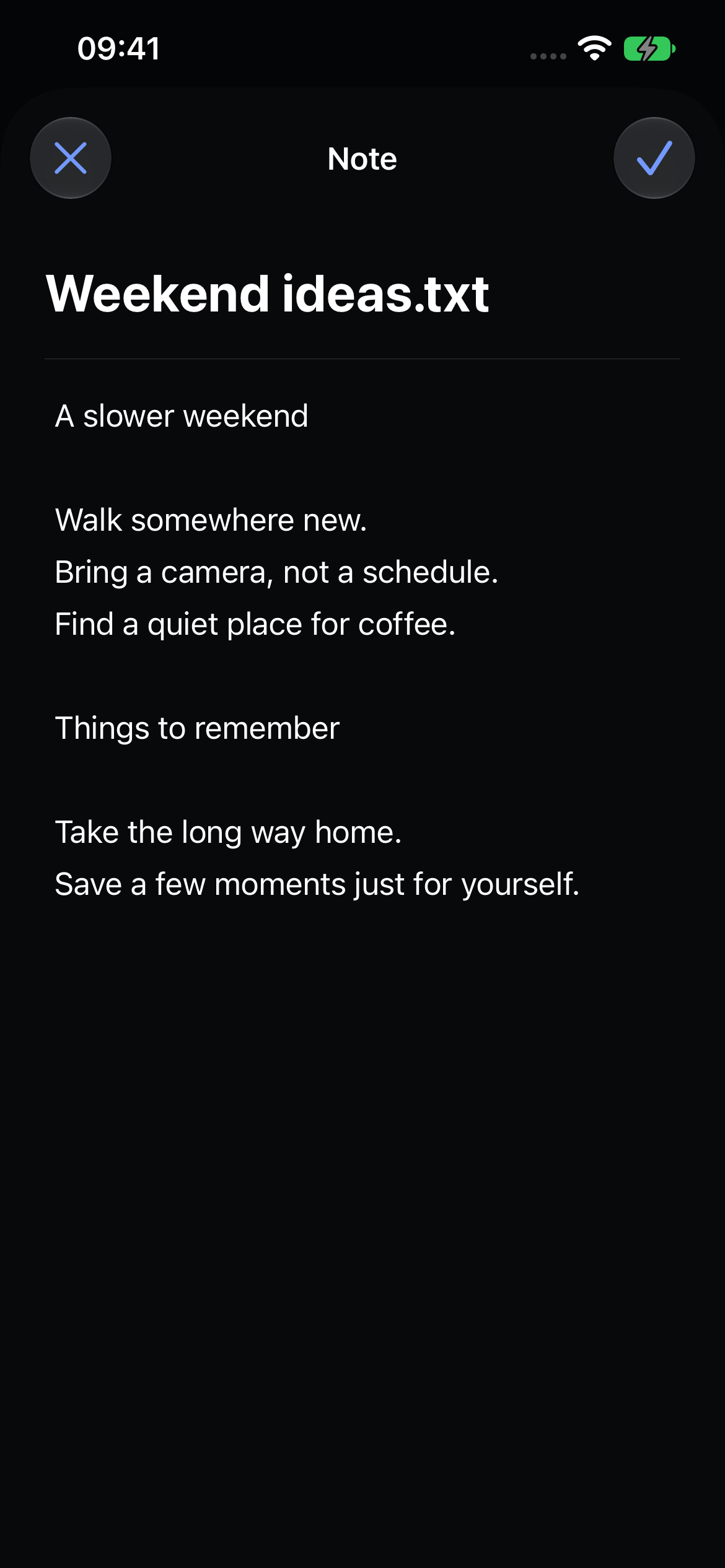
Write and edit private notes inside your encrypted space.
Create separate vaults. The unlock screen doesn’t show a list of your other spaces.
INDEPENDENT PATTERNSPhotos and videos captured in Veil go into your vault without a copy in Apple Photos.
PRIVATE CAMERAA separate recovery code lets you set a new pattern. Keep it somewhere outside your iPhone.
Export an encrypted copy and test restoring it on another device.
Background locking and a privacy cover keep your open space out of the app switcher.
Your photos, notes and documents are encrypted on your iPhone with AES-256-GCM. Each space has its own key.
Explore the architecture ↗PBKDF2 derives a key from your pattern, which unwraps a separate random vault key.
AES-256-GCM protects content, names, notes and your file index before they are saved.
Keep your recovery code somewhere safe. It lets you regain access and set a new pattern.
Explore the security guide for how encryption, patterns and recovery work together, and how to protect exported copies.
Create a fresh PNG without copying the original file’s EXIF metadata. Processing happens in your browser.
Open the free tool ↗Start free. Need more room?
Go lifetime and make it a one-time purchase.
Your privacy doesn’t have to wait.
No renewal. Plus features for the supported life of the app.
Reference prices for the selected App Store region. Confirm the final price with Apple before buying. This site collects no payment. Subscriptions renew until canceled; lifetime does not. Unlimited item counts do not add device or cloud storage.
Your recovery code can open the local vault or an encrypted backup and let you set a new pattern. Without either credential, we cannot recover the contents.
One payment with no renewal, for available Plus features during the supported life of the app on compatible devices: unlimited local vault and media counts and alternate icons. Your device supplies the storage; the 100 MB per-file limit still applies. Online backup, sharing and sync are not included in this lifetime offer. What lifetime access includes.
Not by default. Check your encrypted copy and recovery backup before deleting originals. The app can offer deletion after verifying an import; Apple Photos and iCloud deletion rules still apply, including Recently Deleted.
Export an encrypted backup and keep your recovery code somewhere safe, separate from the backup. Together, they let you restore your files on another device.
Veil protects your files with AES-256-GCM encryption, using a separate key for each private space. Your pattern or recovery code unlocks its contents, and your spaces stay out of sight on the unlock screen.